

Smart Inventory Management,
Driven by AI
Smart inventory management automates physical stock counting and back-office order matching using real-time AI. Stockora uses mobile computer vision and intelligent OCR document syncing to instantly validate purchase orders against supplier invoices — delivering 98% detection accuracy and sub-2-second scan times for real-time global stock visibility across all branches.
From purchase orders to real-time stock sync, manage your inventory with accuracy and ease.
98%
Accuracy
<2s
Scan Time
Smart Inventory Management,
Driven by AI
From warehouse shelves to supplier invoices, Stockora automates your entire inventory workflow. Scan physical products with our AI mobile app, or instantly validate stock by uploading POs and invoices. Real-time data, zero manual entry.
98%
Detection Accuracy
<2s
Scan Response Time
How It Works
Scroll to walk through every step of the Stockora workflow — from camera to dashboard.
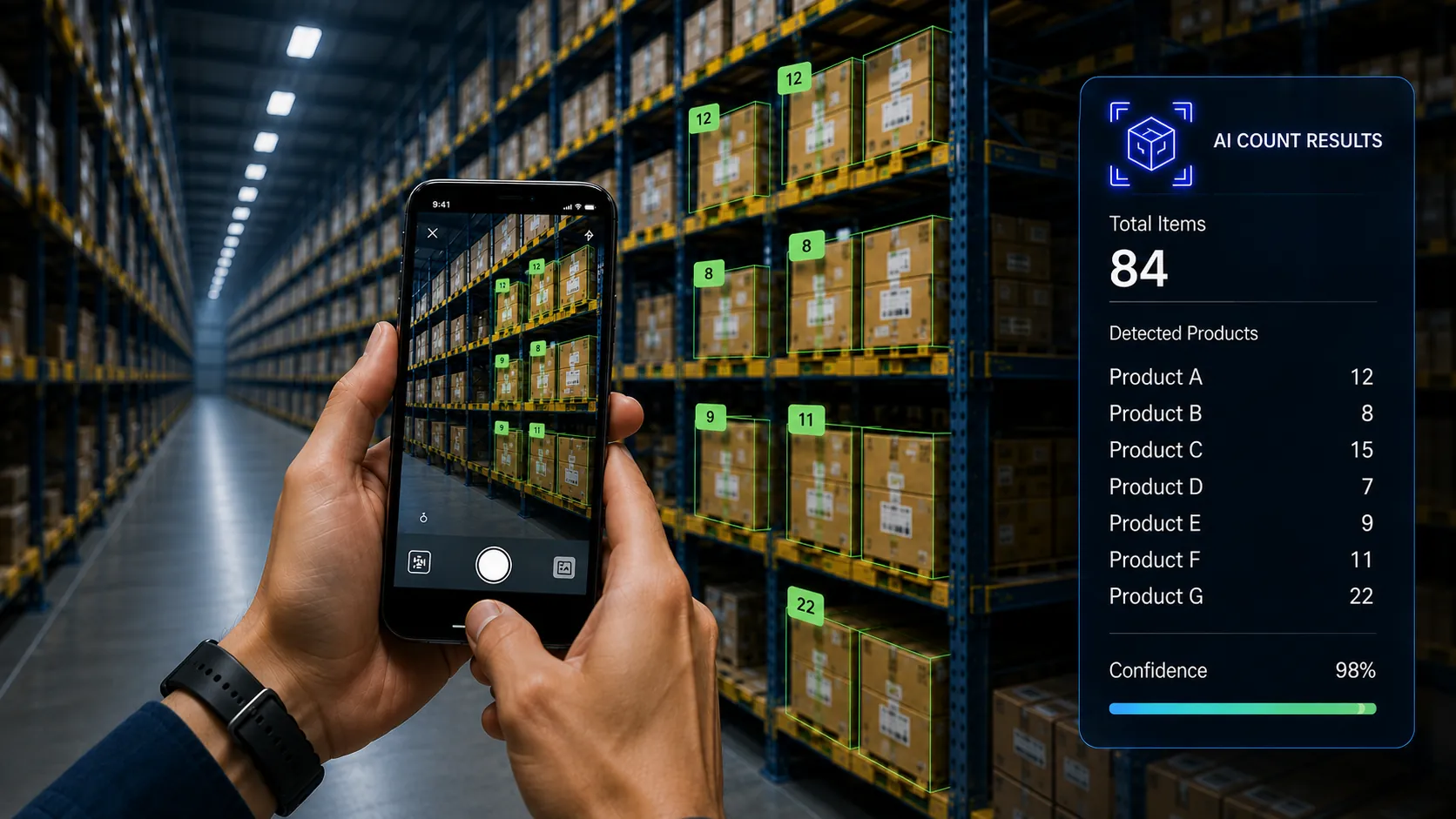
Make any camera smart
Transform standard phone cameras into scanners that count products, check shelves, and spot misplaced items instantly.
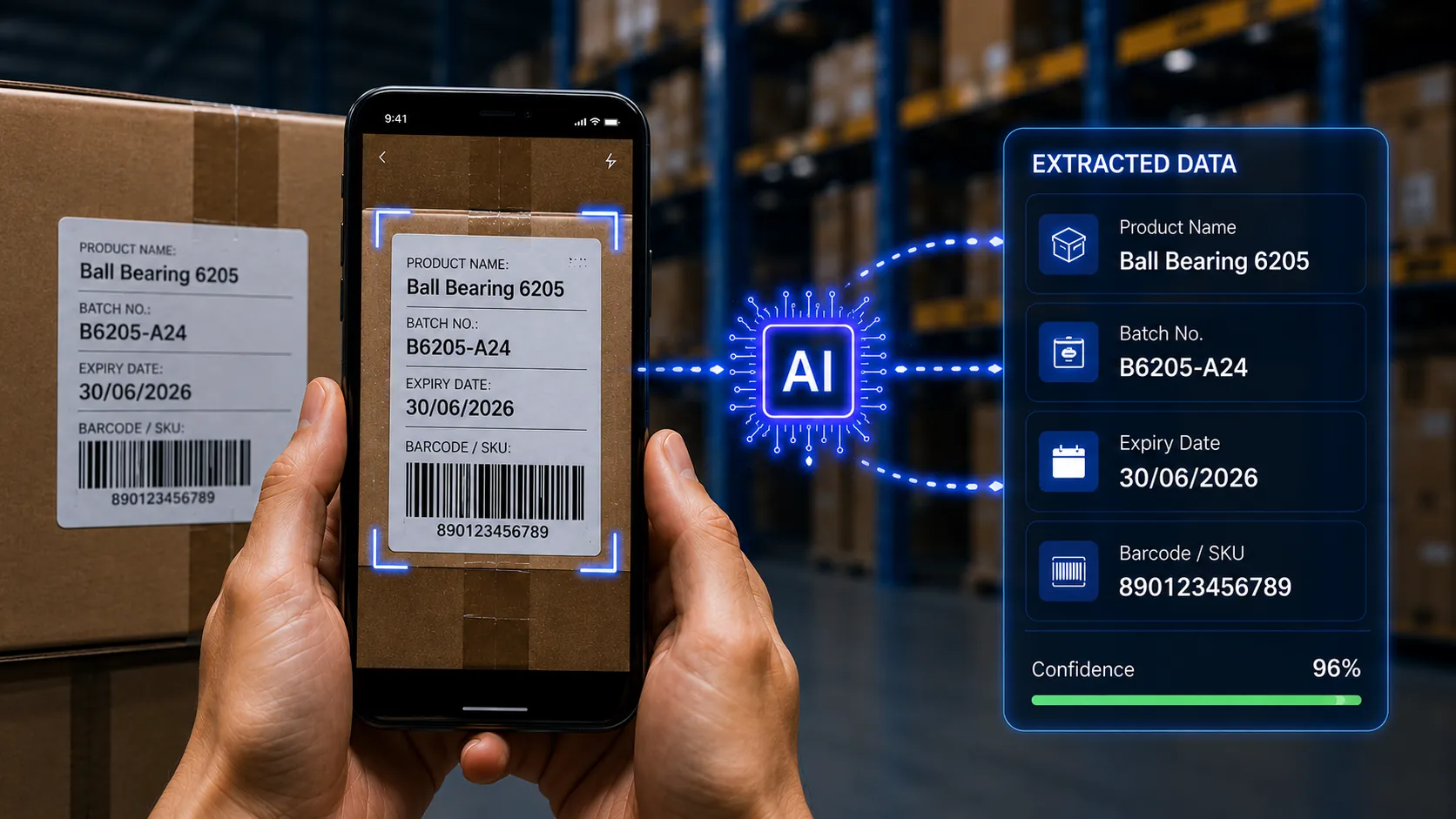
Configure any workflow
Create custom checklists for receiving shipments, checking stock, and verifying counts that fit your daily process.
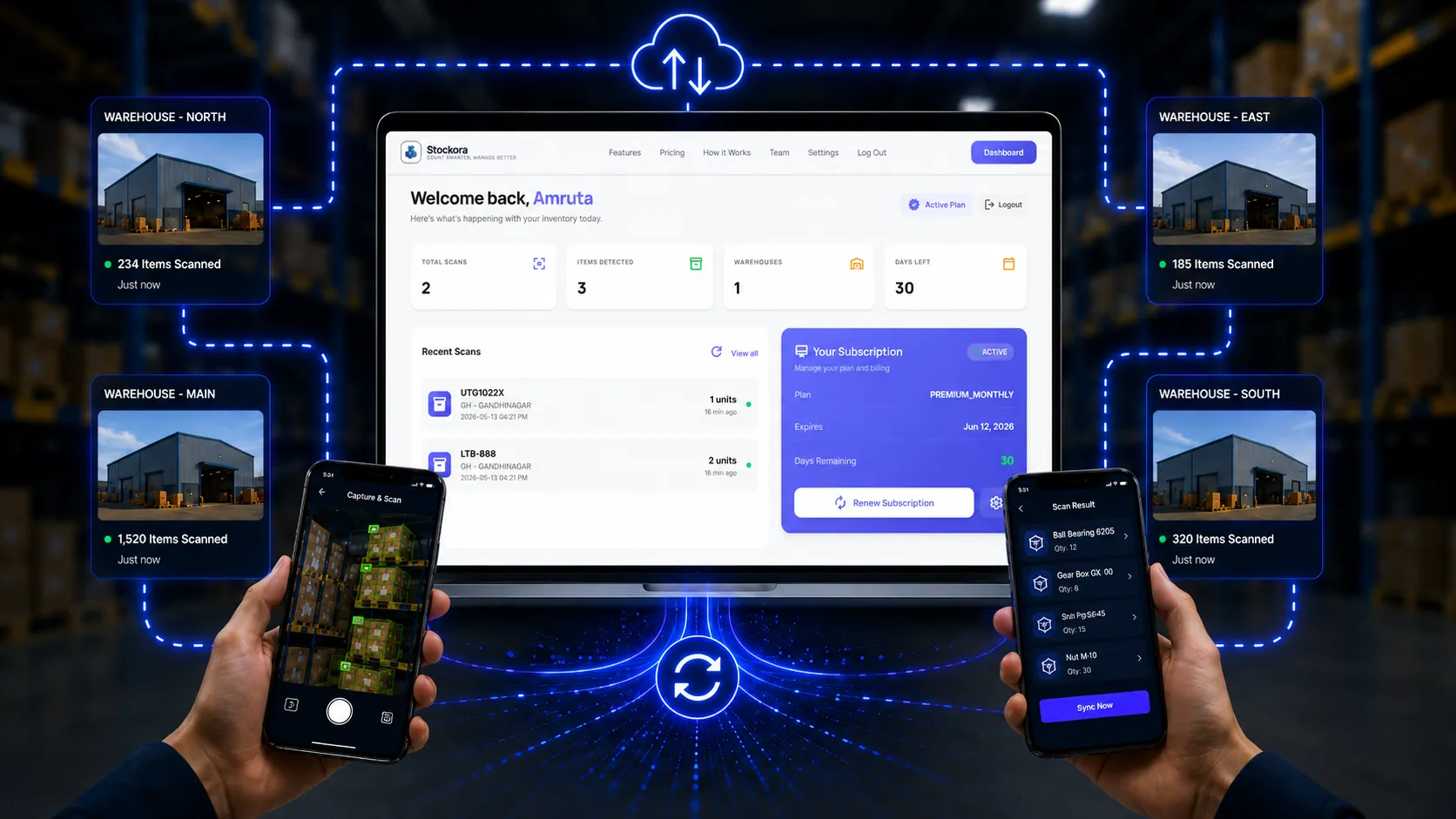
Connect your stack
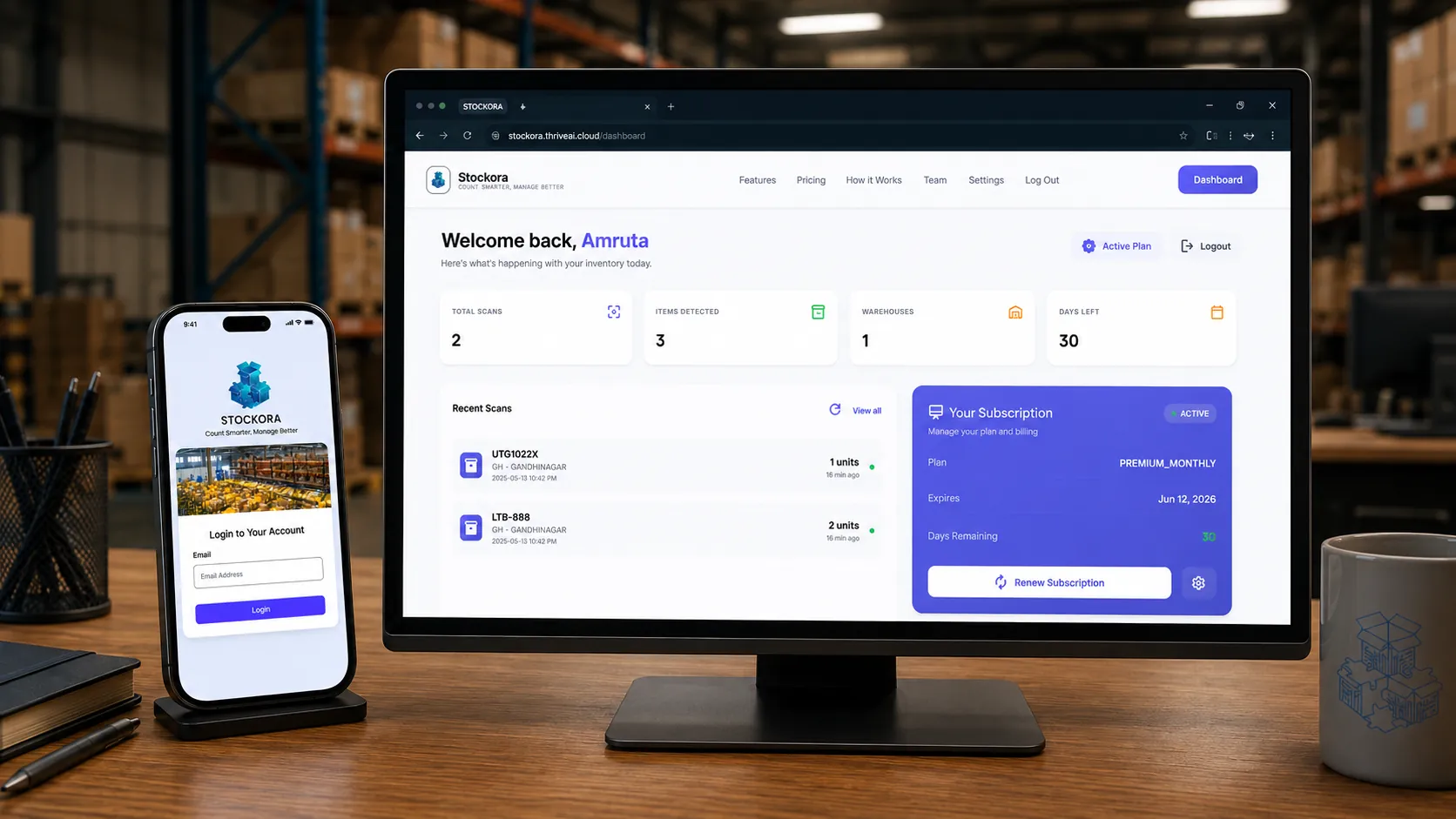
See scan history, current counts, and warehouse updates on a single, easy-to-read live screen.
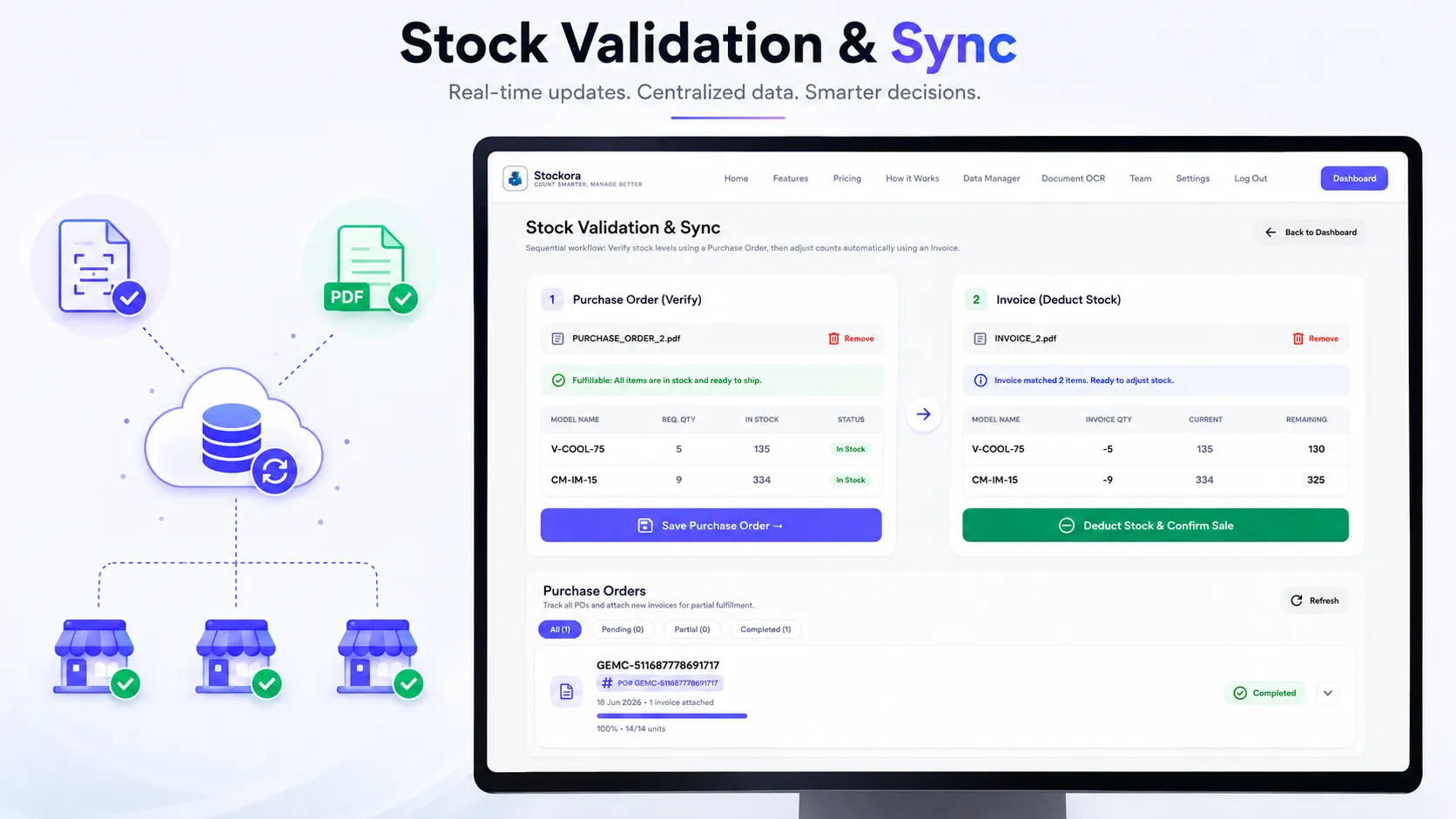
Real-Time Global Sync
Every phone scan and uploaded document updates your inventory sheet instantly, giving everyone live visibility across all branches.
Built for modern warehouses
Overview
Stockora is an inventory management platform built for modern warehouses. By combining smartphone counting with automated document matching, Stockora automates both your physical warehouse counting and back-office order matching — entirely eliminating manual typing.
Key Features
Real-time mobile shelf scanning, package label reading, multi-location support, and automatic matching of purchase orders and supplier invoices to update counts instantly.
How to get it
Book a demo and our team will set up your new inventory sheets. Most teams are onboarded within a day. No complex setups — just add your products and drop in your bills or start scanning.
Overview
Stockora is an inventory management platform built for modern warehouses. By combining smartphone counting with automated document matching, Stockora automates both your physical warehouse counting and back-office order matching — entirely eliminating manual typing.
Key Features
Real-time mobile shelf scanning, package label reading, multi-location support, and automatic matching of purchase orders and supplier invoices to update counts instantly.
How to get it
Book a demo and our team will set up your new inventory sheets. Most teams are onboarded within a day. No complex setups — just add your products and drop in your bills or start scanning.
Enterprise-Grade AI Stack
Instant Shelf Counting
Scan multiple items at once using your phone. Instantly counts and groups products on shelves without manual counting.
Label Reading
Automatically identifies key product details like brand name, size, and model directly from package labels.
Invoice Matching
Upload purchase orders and invoices to instantly verify quantities, flag missing items, and request stock top-ups automatically.
Central Inventory Sheet
Track and search your entire stock on a simple, live dashboard that updates instantly as items are scanned.
See Stockora in Action
Watch how our AI automation layers scan inventory stacks and instantly map records to your centralized management dashboard.
Frequently Asked Questions
Everything you need to know about Stockora's AI inventory scanning and automated document workflow.
How does Stockora's mobile scanning work?
You simply open the Stockora app and point your smartphone camera at a shelf. The app instantly counts the items and reads details from product packaging, updating your records in seconds.
Can Stockora match purchase orders to invoices?
Yes. You can upload or scan supplier invoices and purchase orders. Stockora automatically reads the documents, cross-references quantities and prices, and flags any differences or short shipments.
Can I connect it to my existing system?
Yes. Stockora easily connects with your current inventory tools and software systems, keeping your data in sync across all warehouse locations in real time.
How does it save time?
By replacing manual counting and paper audits with instant camera scans and automated document matching, it eliminates typing errors and triggers stock reorders before you run out.
Stop counting manually.Start scanning instantly.
Book a quick demo today and see how Stockora's visual AI maps your inventory with 98% accuracy.