
How It Works
From snapping a photo to syncing your dashboard — the entire AI inventory pipeline explained in 6 steps.
Dashboard & Export
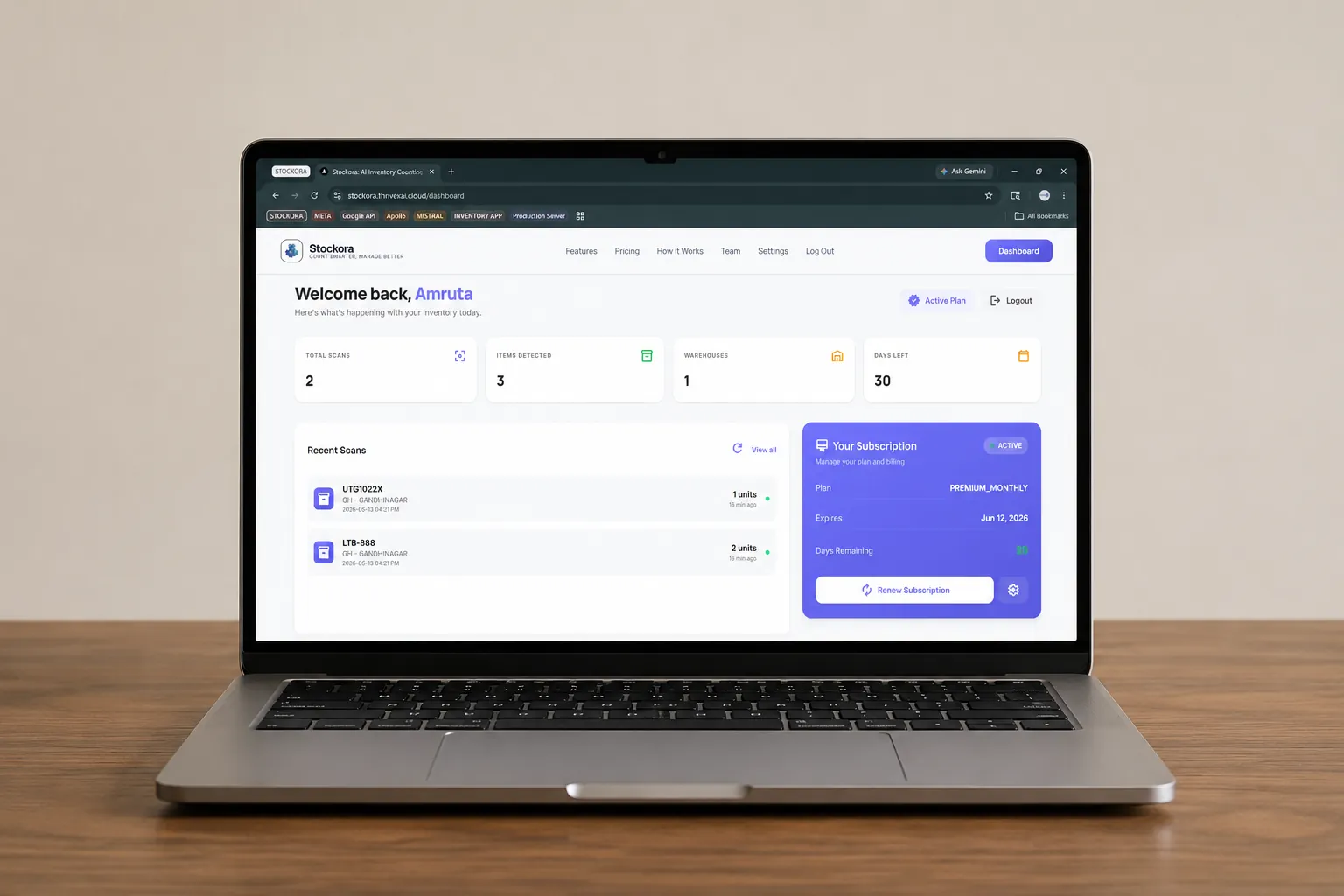
Every scan syncs instantly to your dashboard. View all inventory entries in a real-time spreadsheet. Filter by warehouse, date, or item type. Export to CSV or Excel for internal reporting.
Sign Up & Configure
Download the app, select your company, and verify your email with a 6-digit login code. Then set your Warehouse Code and Warehouse Name in Settings so every scan is tagged to the right facility.

Snap a Photo
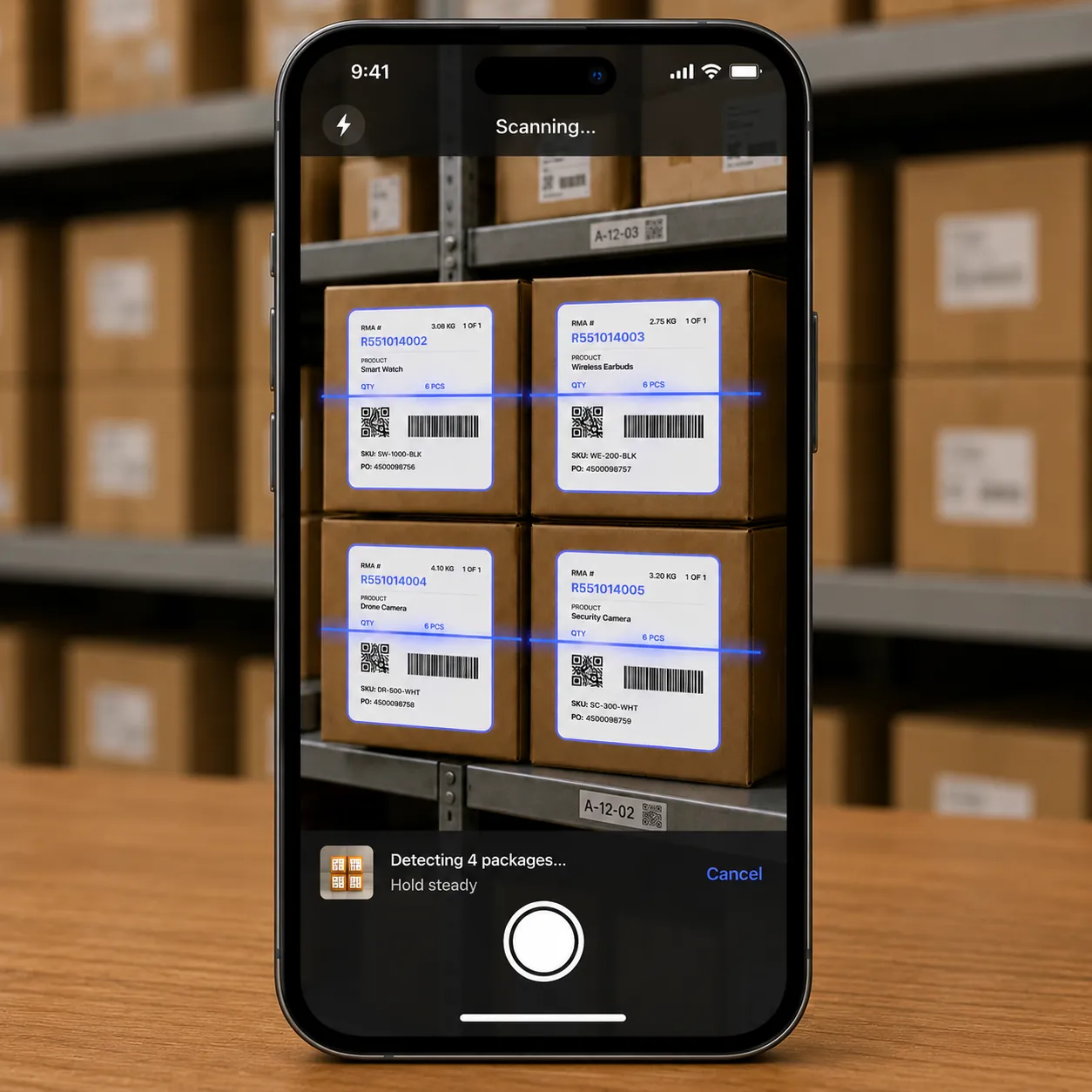
Tap 'Open Camera' and photograph any stack of inventory items. The app automatically handles varied lighting, angles, and label formats. You can also pick from your gallery for previously taken photos.
Automatic Counting
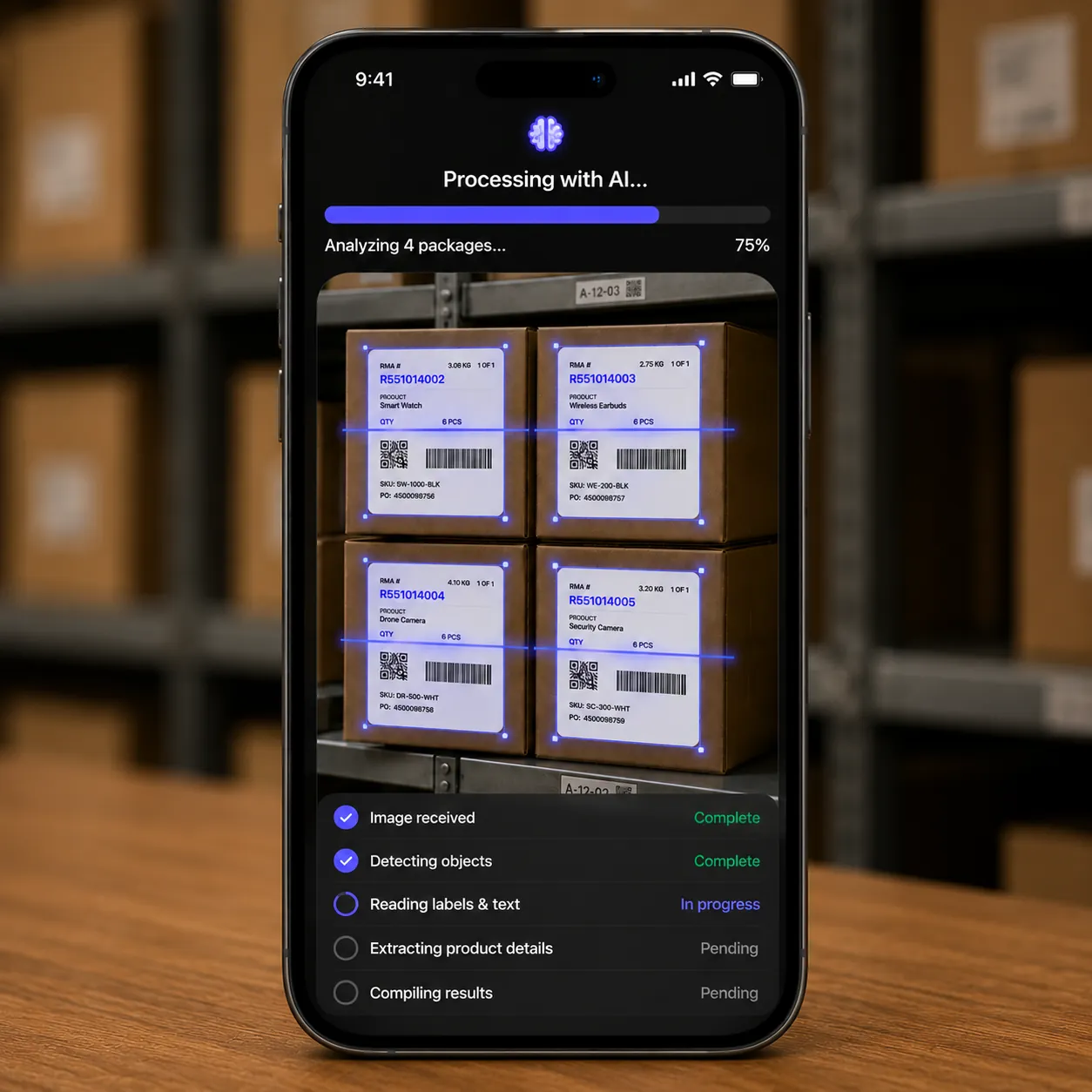
Your image is processed instantly to count items and extract package details such as brand, size, and product name.
Review & Confirm
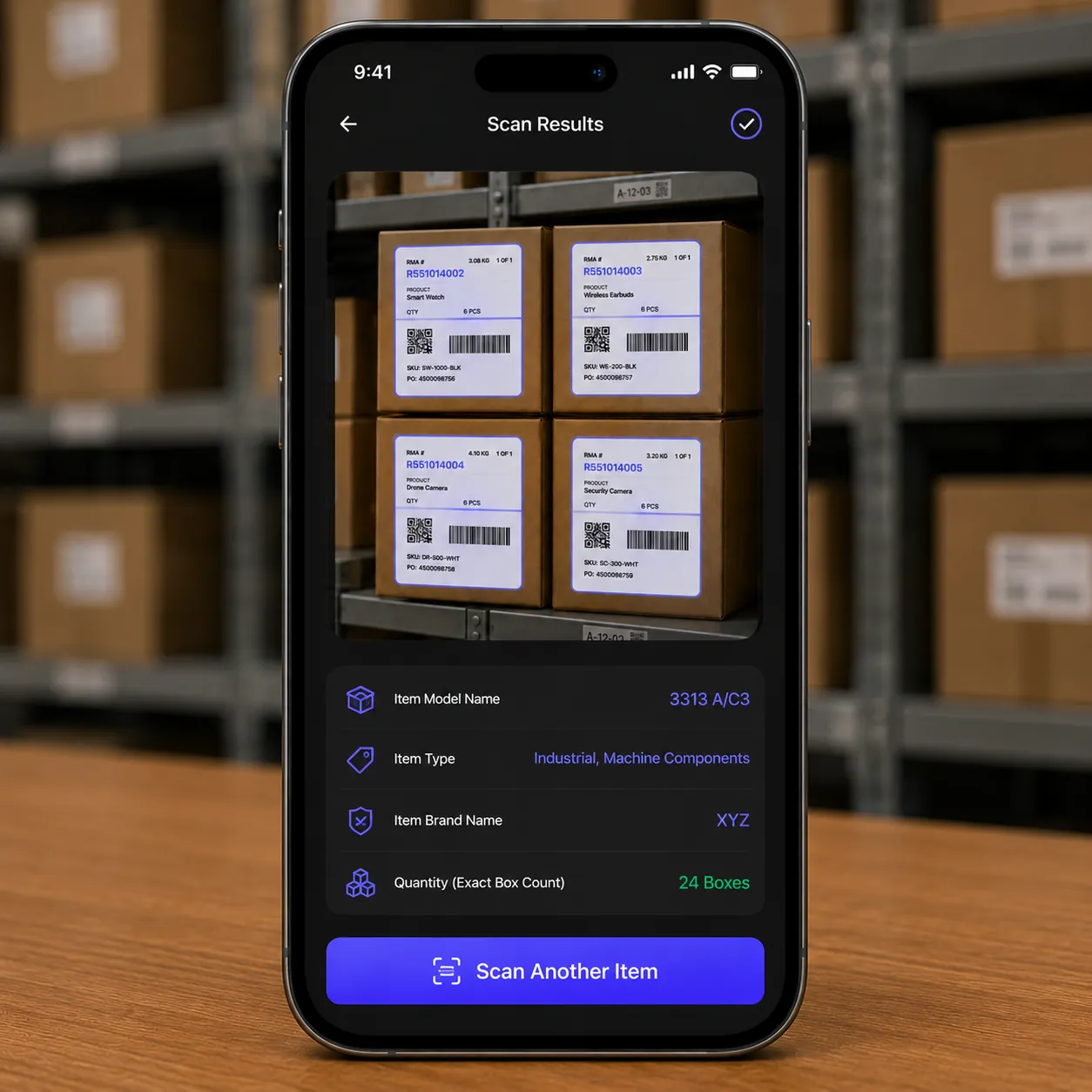
The app displays a detailed breakdown of the scan: Item Model Name, Item Type, Item Brand Name, and exact Quantity. Tap 'Scan Another Item' to continue counting your warehouse seamlessly.
Validation & Sync
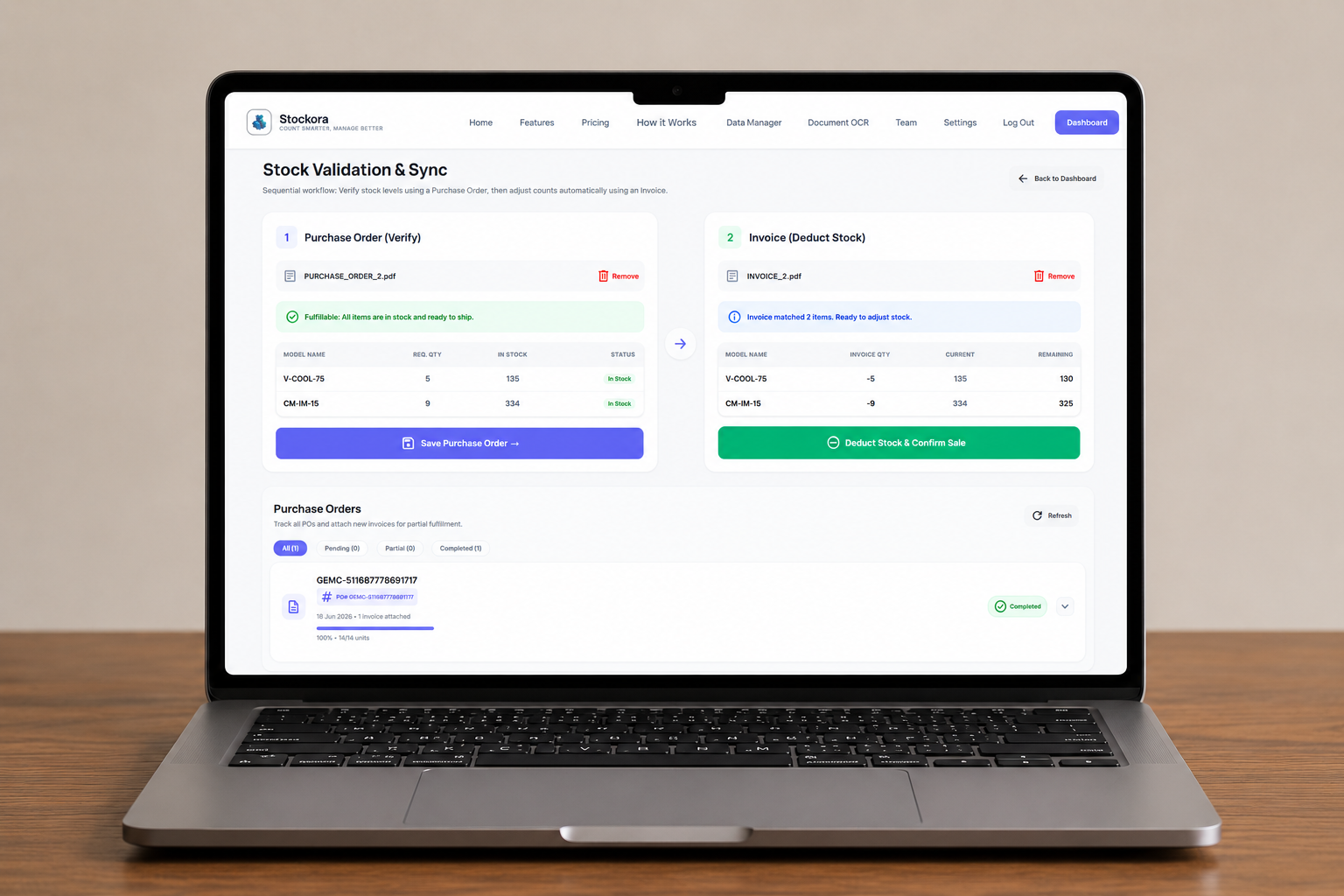
Upload business documents directly to the platform. The system reads incoming purchase orders, checks available stock numbers, manages temporary stock holds, and matches supplier invoices automatically.
Dashboard & Export
Every scan syncs instantly to your dashboard. View all inventory entries in a real-time spreadsheet. Filter by warehouse, date, or item type. Export to CSV or Excel for internal reporting.
Sign Up & Configure
Download the app, select your company, and verify your email with a 6-digit login code. Then set your Warehouse Code and Warehouse Name in Settings so every scan is tagged to the right facility.
Snap a Photo
Tap 'Open Camera' and photograph any stack of inventory items. The app automatically handles varied lighting, angles, and label formats. You can also pick from your gallery for previously taken photos.
Automatic Counting
Your image is processed instantly to count items and extract package details such as brand, size, and product name.
Review & Confirm
The app displays a detailed breakdown of the scan: Item Model Name, Item Type, Item Brand Name, and exact Quantity. Tap 'Scan Another Item' to continue counting your warehouse seamlessly.
Validation & Sync
Upload business documents directly to the platform. The system reads incoming purchase orders, checks available stock numbers, manages temporary stock holds, and matches supplier invoices automatically.
Ready to get started?
Choose a plan and have your AI inventory system running in minutes.